Get More from Your Google LSA Text Us at (628) 228-6704
0 like 0 dislike
702 views
by Marketing Guru (8.6k points)

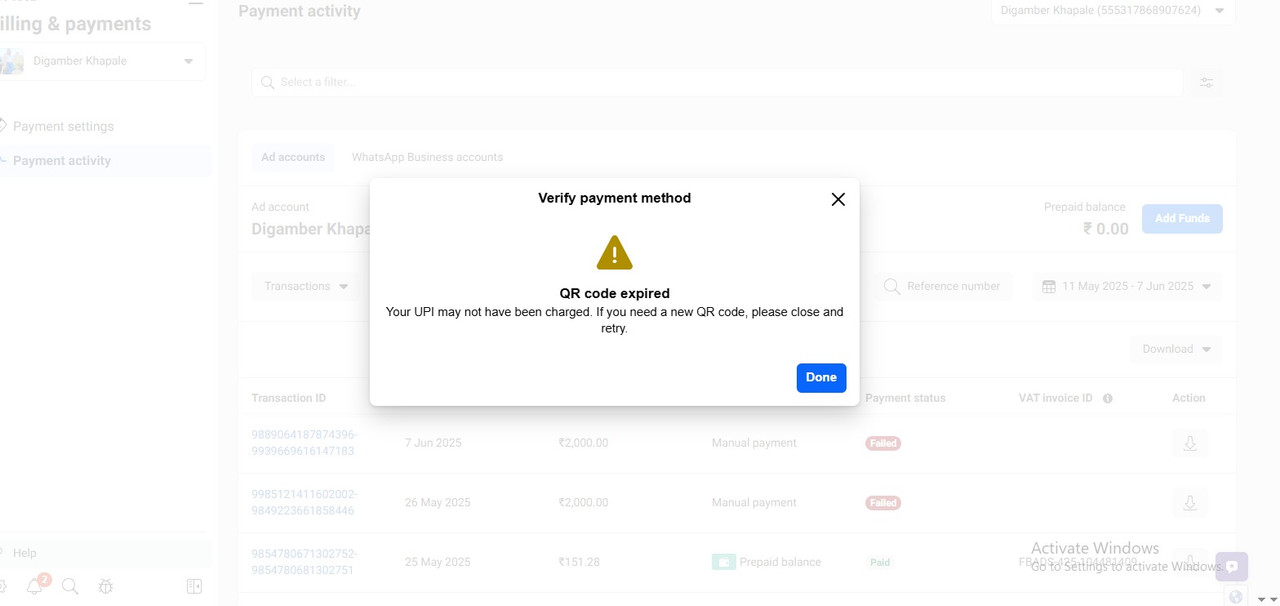
After clicking on "Add Funds", when we proceed to select UPI as the payment method, the QR code is generated, but it expires very quickly, within a few seconds.
Due to this, we are unable to complete the UPI payment successfully.
This is affecting our ability to run ads without interruption. We have already tried refreshing the page and re-generating the QR code multiple times, but the issue remains the same. 
1 Answer

0 like 0 dislike
by Marketing Guru (8.8k points)

Quick Fixes You Can Try:

  • Use a different browser or clear cache and cookies.

  • Ensure your UPI app is ready to scan immediately upon QR generation.

  • Try using Meta Ads on a different device or network (in case of local loading delays).

  • Consider using manual UPI ID entry if that option appears, instead of QR.

If the issue continues, raise a ticket through Meta’s Business Help Center or use in-platform chat for urgent support.

Join a specialized Q&A site for digital marketing experts focused on ad platforms like Google, Facebook, YouTube, LinkedIn, Bing, Quora, and more. Connect with peers to share strategies on client retention beyond acquisition. Discuss and solve technical, managerial, or general challenges to improve your ad campaigns and client relationships.

Register to unlock your digital marketing potential!
Get More from Your Google LSA
Text Us at (628) 228-6704
...